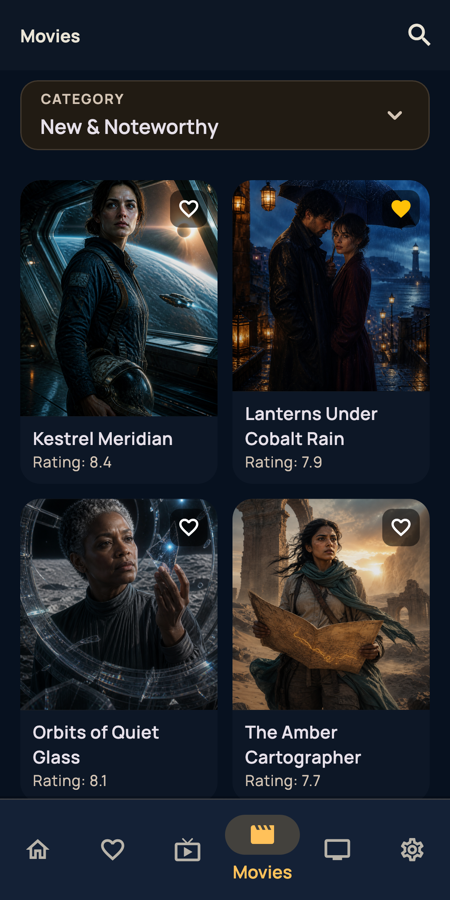
A catalog that feels cinematic
Poster-first browsing with ratings, progress, and new & noteworthy picks. Find something great, fast.
 BEAM TV
Your media · Your TV
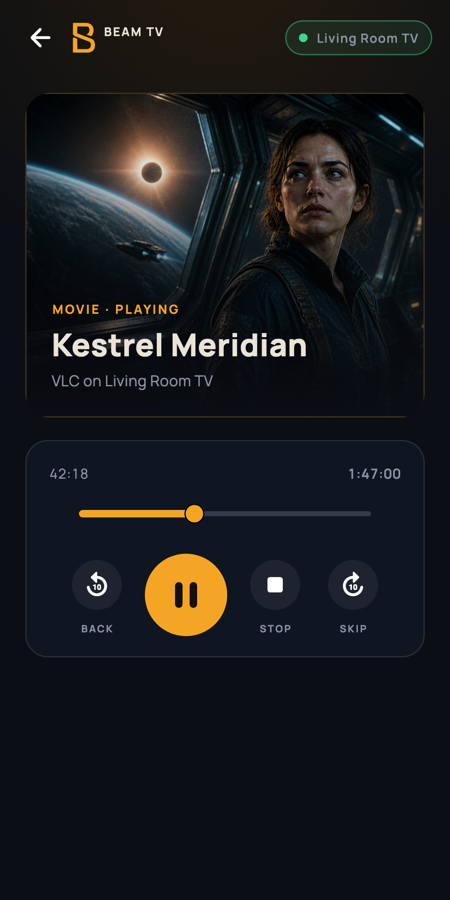
Browse your own media service on your phone. Send playback to the big screen. Pause, seek, and resume from the couch, the kitchen, or any room.
Free · Premium optional · Android first, iOS on the way
Sign in to a media service you already use. Live TV, movies, series, favorites, and history in one calm, cinematic catalog.
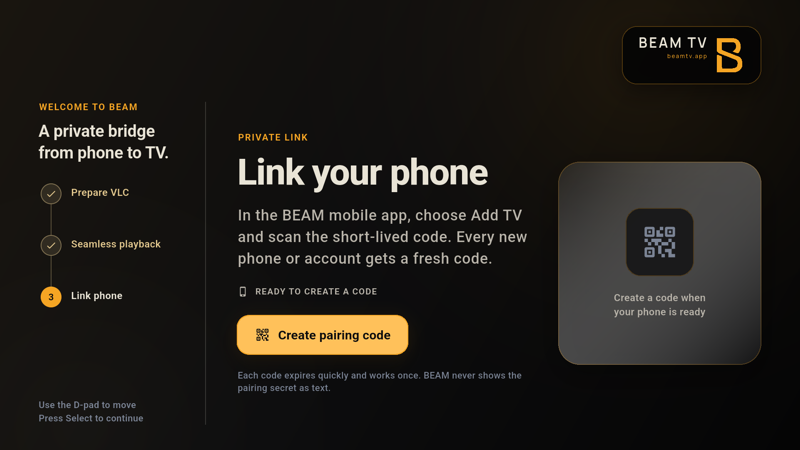
Open BEAM on your Android TV and scan its rotating QR from the signed-in mobile app. The two-minute code links immediately while nearby discovery asks for an explicit Allow on the TV.
Play on this phone, send it to a paired TV, or browse directly in BEAM TV Full. Your phone can remain the remote.
Poster-first browsing with ratings, progress, and new & noteworthy picks. Find something great, fast.
The QR contains a random two-minute secret. Scanning it links the signed-in account immediately; nearby pairing instead asks the person at the TV to Allow or reject the request.
Full has a built-in player and standalone library. Lite is a compact phone receiver that opens separately installed VLC.
Favorites, history, and progress stay in sync. Optional Premium adds cloud library sync; linked TVs can receive commands over the reliable cloud path on every account tier.
BEAM TV FULL · BEAM TV LITE
Full can browse your explicitly assigned provider and play with its built-in player. Lite stays a lightweight phone-controlled receiver and opens VLC for Android.
BEAM does not supply channels, movies, subscriptions, credentials, or media URLs. You connect a service and content you already have the right to access. BEAM is independent and is not sponsored, endorsed, or certified by Google or VideoLAN.